The Glide Coding Stack
67 open standards. 808+ enforced rules. Works with your AI coding tool. Install in 60 seconds. Free forever.
Get Started
Install project-object and initialize your project with standards:
Requires Node.js 18+. Standards are injected automatically into your AI coding sessions.
What's in the Stack
The Glide Coding Stack merges standards from three sources into a single injected context. project-object pulls all three and your AI gets the union — no configuration needed.
.standards/See It in Action
After installing, project-object init pulls standards from all three
sources into your project. Your AI coding tool picks them up automatically.
Initializing project-object...
✓ OpenCore standards loaded (16)
✓ Community standards loaded (51)
✓ Local standards loaded (0)
✓ AI session hooks configured
$ project-object status
Sources:
OpenCore: 16 standards (147 rules)
Community: 51 standards (661 rules)
Local: 0 standards (0 rules)
─────────────────────────────
Total: 67 standards (808 rules)
Tier: Free (OpenCore + Community + Local)
Works With Your Tools
Standards are injected as context into your AI coding sessions. No plugins. No extensions. Just standards your AI actually follows.
Claude Code
Session hooks inject standards at session start. Full context awareness.
Cursor
Standards load via .cursor/rules. Every generation follows your patterns.
Windsurf
Rules directory integration. Your AI surfs with guardrails.
How It Works
Install project-object
One command: npm install -g project-object. Global CLI tool that manages your standards.
Initialize your project
Run project-object init in your repo. It creates a .standards/ directory and pulls standards from all three sources: OpenCore, Community, and any local standards you add.
Curate if you want
Everything in .standards/ gets injected. Delete standards you don't need. Add your own YAML files for project-specific patterns. The injector loads whatever is in the directory — no configuration required.
Code with your AI
Start a session with Claude Code, Cursor, or Windsurf. Standards are injected automatically as context. Your AI follows the rules without being told.
Update when ready
Run project-object update to pull the latest from OpenCore and Community. New standards are added; your local standards and deletions are preserved.
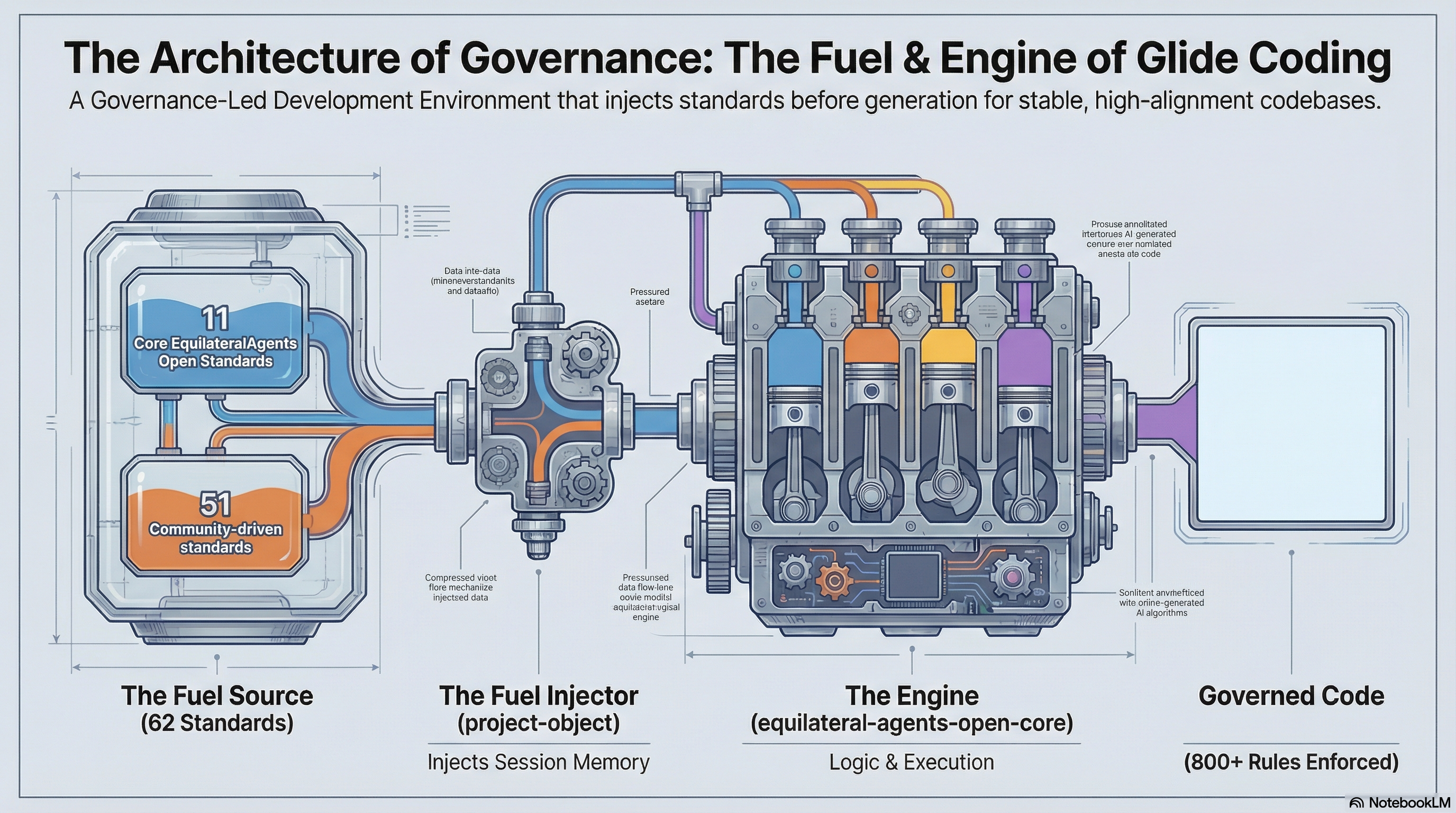
Architecture of Governance
Four open-source repositories work together to deliver governed AI coding. The architecture is intentionally simple: standards flow through an injector into an engine that enforces rules.
Your Standards, Your Way
The injector is deliberately simple: it reads every YAML file in your
.standards/ directory and injects them all into your AI session context.
No config files. No toggles. Just files in a directory.
To remove a standard: delete the file from .standards/.
To add your own: drop a YAML file into .standards/.
To customize: edit any file directly — they're just YAML.
To share upstream: submit a PR to Community Standards so everyone benefits.
Commit .standards/ to version control and
every developer on your team gets the same governed experience. Your AI coding tool reads the same
standards as every other developer on your team.
Start Glide Coding
Free tier is free forever. 67 standards. 808+ rules. No credit card.
Related Resources
glidecoding.org — Browse and contribute to the open standards library.
glidecoding.ai — The platform home for Glide Coding.
equilateral.ai — The company behind Glide Coding.